Ph: (08) 7324 3065   Mob: 0408 691 299

  • Free shipping

    On all orders over $65

  • Money Back Guarantee

    90 Day Guarantee

  • Same Day Dispatch

    on orders before 3:30pm

  • 100% Quality Products

    ISO 9001 and ISO 14001

HAPPY NEW YEAR - 10% OFF all compatible cartridges

Discount automatically applied at checkout. Minimum spend $25 to qualify.

Why is my printer not printing?

Dean Michael |

“Why is my printer not printing?” is the most common printer-related question searched on Google, and for good reason. Printers often appear to be working normally — powered on, connected to Wi-Fi, showing as online, and reporting ink or toner installed — yet they refuse to produce a page. The reason this problem is so widespread is that modern printers rely on multiple systems working together. Printing only occurs when hardware, ink delivery, software drivers, firmware, and network communication are all functioning correctly. When any one of these elements fails, printing stops. This article explains the real reasons printers stop printing, how to identify the cause, and why the issue occurs in the first place.

Check all of the Basics First

Many printing issues are caused by simple configuration problems, particularly after software or operating system updates. Printers can lose their default status, meaning print jobs are sent elsewhere without obvious warning. Print queues can also become blocked by a single failed job, preventing all others from processing. Restarting both the printer and the computer clears memory and queue errors in a large percentage of cases.

Paper configuration is another frequent cause. If the printer expects a different paper size or tray setting than what is loaded — such as an A4 mismatch — it may pause silently rather than display an error. If these checks don’t resolve the issue, the cause is usually more technical.

Printer Has Ink but Won’t Print

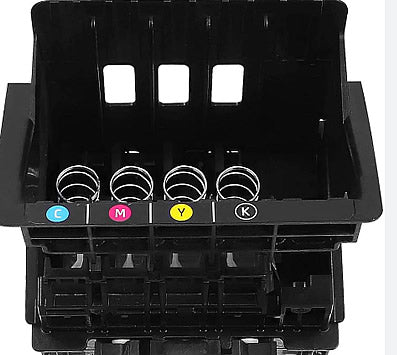
This is one of the most searched printer problems and one of the most misunderstood. Ink cartridges can show adequate ink levels yet still fail to print. Ink dries over time, particularly if a printer is not used regularly. When ink dries inside the printhead, it blocks microscopic nozzles and prevents ink from reaching the page.

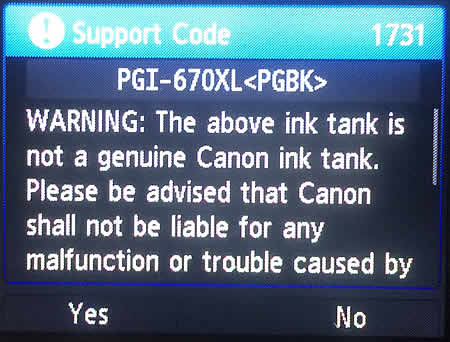
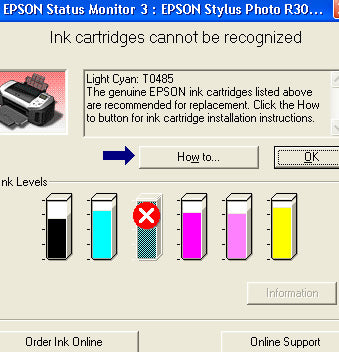
Air trapped inside cartridges can also interrupt ink flow. This often occurs when cartridges are stored incorrectly, exposed to temperature fluctuations, or installed after long periods of inactivity. Modern printers rely heavily on cartridge chips to verify ink. If a chip fails to communicate correctly — due to dirt, damage, or firmware changes — the printer may disable printing altogether, even if ink is present. This behaviour affects both original and compatible cartridges.

Ink age also matters. While ink does not expire abruptly, older ink becomes thicker and less stable, increasing the risk of blockages and inconsistent printing. At this stage, many printing problems are not caused by the printer itself, but by the condition or compatibility of the cartridge installed.

Printer Is Online but Not Printing

When a printer appears online but does nothing, the issue is almost always communication-related. Computers use print spoolers to manage print jobs. If the spooler crashes or becomes corrupted, documents can sit in the queue indefinitely without being sent to the printer. This is especially common after operating system updates. Network printers add another layer of complexity. If a router restarts or network settings change, the printer’s IP address may change as well. The computer may continue sending print jobs to the old address, creating the impression that the printer is available when it is not.

Driver conflicts are another frequent cause, particularly when switching between USB and Wi-Fi connections or reinstalling printer software. If the printer worked previously and stopped after an update or network change, the issue is usually software-based rather than hardware-related.

Wireless Printer Not Responding

Wireless printers are convenient but inherently less stable than wired setups. Printers typically have weaker Wi-Fi antennas than phones or computers, making them more sensitive to signal strength. Marginal coverage, router placement changes, or interference can disrupt printing without warning.

Many printers only support 2.4GHz Wi-Fi networks. Modern routers often prioritise 5GHz, and when both bands share a single network name, printers may struggle to maintain a reliable connection. Power-saving features can also interfere with wireless printing. Some printers enter deep sleep states and fail to wake when a print job is sent over Wi-Fi. Repeated wireless issues are often a sign that reliability depends more on setup and consumables than on the printer model itself.

Drivers, Software, and Firmware Updates

Printer drivers translate data between your computer and printer. When they fail, printing stops — often without a clear explanation. Drivers can become outdated, corrupted, or incompatible after Windows or macOS updates. This is why printers often stop working immediately after system upgrades. Reinstalling the correct driver resolves many unexplained printing failures by resetting communication protocols.

Firmware updates can also change how printers behave, particularly in how cartridges are detected and verified. In some cases, printers stop printing even though no physical fault exists. Many users assume ink has failed when the underlying cause is actually a firmware or driver change.

Paper Handling, Sensors, and Settings

Printers rely on sensors to detect paper presence, alignment, and size. Dust, humidity, or worn rollers can interfere with these sensors and cause printing to stop without obvious errors. Incorrect duplex settings, manual feed modes enabled unintentionally, or tray configuration mismatches are also common causes, especially in shared or office environments. These issues often present as “printer not responding” rather than clear paper errors.

Brand-Specific Printing Behaviour

Different manufacturers use different rules to decide when printing should be blocked.

HP printers commonly stop printing due to firmware or cartridge authentication changes, particularly after updates.

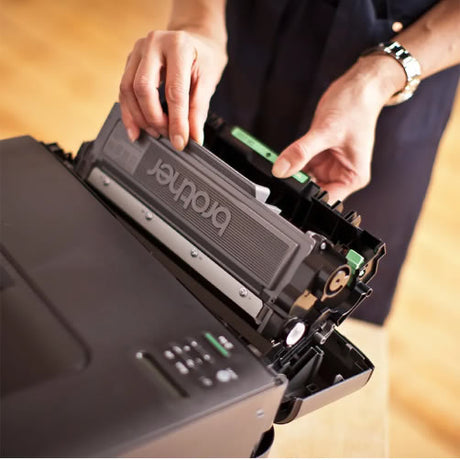
Brother printers may halt printing because of internal counters linked to toner, drum units, or waste components, even when print quality appears acceptable.

Epson printers frequently stop printing when waste ink counters reach preset limits or when nozzles clog due to infrequent use.

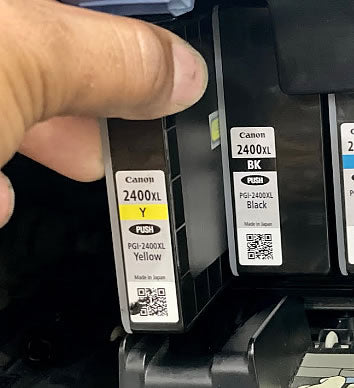
Canon printers are especially sensitive to printhead condition, which can result in blank pages without clear warnings.

Understanding how each brand manages ink and consumables explains why replacing or reseating cartridges often resolves issues that appear unrelated.

When It’s No Longer Worth Fixing

In some cases, the printer itself is not technically broken, but ongoing issues make it unreliable. Severely clogged printheads, failing electronics, or restrictive firmware can make a printer impractical to maintain long-term. If troubleshooting becomes frequent and consumable costs continue to rise, replacement or re-evaluating cartridge quality is often more cost-effective than repeated fixes. Consistent printing reliability usually depends more on consumable quality and compatibility than on the printer alone.

Frequently Asked Questions

Why won’t my printer print even though it has ink?
Ink may be dried, nozzles clogged, air trapped in the cartridge, or the printer may not recognise the cartridge correctly.

Why does my printer say it’s online but not print?
This usually indicates a software, driver, or network communication issue rather than a hardware fault.

Can compatible ink cartridges stop a printer from printing?
Compatible cartridges rarely cause physical damage, but firmware or chip recognition issues can sometimes prevent printing if compatibility is poor.

Why does my printer print blank pages?
Blank pages are most commonly caused by clogged printheads, empty colour channels, or incorrect driver selection.

Why does my printer stop printing after one page?
This is often caused by memory errors, duplex settings, or paper feed issues.

Summary

Most printer failures are not caused by a single fault, but by the interaction between ink systems, software, firmware, and network communication. Once these layers are understood, diagnosing printer problems becomes far more straightforward. If a printer repeatedly stops printing despite appearing functional, the issue is often not the printer itself, but how ink and consumables interact with the system. Reliable printing starts with understanding the full picture — not just replacing parts at random.