Epson Print Head Cleaning

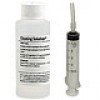
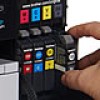
Here is an alternate method for cleaning your Epson print head. Epson use a “Piezo” print head which are very  prone to clogging. Clogging is the result of ink hardening on the surface of the print head resulting in very poor print quality or even stopping printing altogether. As well as the method shown in the video it is also good to flush your print head every so often. This removes any dry ink and contaminants from within the print head and assures you of high quality prints. We recommend our Print Head Cleaning solution for this purpose.

If the above method doesn’t work for you then you may need to flush the print head with our powerful cleaning solution !

Posted in Brother | Comments Off

Brother Inkjet Printers – Ink Levels

Brother Ink LevelsHave you ever wondered how your Brother Inkjet Printer detects the ink levels in each cartridge? Unlike most inkjet printers which use a small micro chip the Brother Printer uses small infrared beams which shoot through the small window (see image to left) on your cartridge and determines how much ink is left. These infrared beams detect when the ink level changes in this small transparent wind0w and people often fool the printer by placing small pieces of electrical tape over the window to make the printer think the cartridges are still full.

While this certainly works it is not advised because if you keep printing untill the cartridge runs completly dry you risk damaging your print head. Print heads need the ink running through them in the same manner as a car requires coolant to flow through the engine to keep it cool. When the ink runs out and you keep trying to print the print head can simply self destruct.

This is a fairly archaic form of detection however it seems to work reasonably well. This is one of the reasons why a Brother cartridge is so easy to replicate. Brother has used this method on their inkjet printers for many years however the latest Brother printers released have now followed other manufacturers and have incorporated a micro chip onto their latest cartridges.

When replacing a Brother Ink Cartridge you should always have the printer turned ON and it is best if you only replace each cartridge when the printer tells you so. Due to the simplistic nature of the infrared system if you replace a cartridge when turned OFF or even before prompted to it may not detect that it has been changed !

Posted in Brother | Comments Off

The Inkjet Printer Scam

Printer Ink is half fullEver bought a bag of chips, opened them and realised that you’ve just paid for a bag which contains about 60% air ? Well apparently the big guns from Epson, Brother, HP and Canon have had a meeting with the CEO from Smiths Chips and have decided to do the same with their cartridges !

OK maybe thats not the full truth however the basic concept is the same. That is Ink Cartridges are getting smaller, containing less ink and the retail price is increasing. Lets take a look at some of the worst culprits. The picture above is a typical HP Black cartridge which although physically large often only contains as little as 5ml or so of ink. They usually have 2 different options per printer – The XL which is a high yield and contains more ink or the standard cartridge which is very low yield.

Both cartridges look identical however one has  around 2.5 times more ink and costs twice the price. A rip off you say. Of course it is but hey they’ll tell you that if you use a compatible ink your printer will self destruct or else your warranty will be void or some other baloney.

All of the major companies are doing this and really the only way to avoid the ever increasing costs of printer consumables is to do your homework and buy a printer which contains SEPERATE tanks for each colour. Also check that compatible cartridges are available to suit the printer you purchase.

We get calls constantly from people who have gone into their local store and seeing the beautiful, gleaming printer on display for only $39 cant resist taking it home. When the introductory inks which come with the printer run out 3 days later they’re on the blower looking for inks to get their new machine up and printing again.

When they find out they’re up for maybe $60 to as much as $150 for the replacement inks suddenly this once adored new printer is now a rotten mongrel of a thing. The person then logs onto Facebook or Youtube and starts telling everyone not to buy a $#@)*& printer or whatever brand it may be.

If you want to avoid the above scenario and are completely baffled by the great number of choices simply call us at Ink Hub and we can advise you on the most economical printer to suit your printing needs.

Posted in Printers | Comments Off

Canon PGI and CLI Ink Cartridges Explained

canon pgi-cliMost people seem to be completely confused about the difference between the PGI and the CLI cartridges in a Canon inkjet printer.

I will try to explain the differences and why they exist. Firstly the Large Black “PGI” cartridge in most Canon printers stands for “Pigments”. This is the cartridge which gets used when printing Text. Pigment based inks are “more blacker” and provide a crisp, dark printout which makes them ideal for text. Also pigment particles tend to be larger and stand up more on the paper which results in almost a “Laser Printer Quality” text printout.

The other smaller cartridges are known as the “CLI” tanks. This stands for “Chromalife” which is a dye based ink formulation. The ink in these cartridges is specifically designed for photo printing. Dye based inks tend to have smaller particles than the pigment based inks and they tend to lay flatter on the paper. This results in more bright, vivid printouts.

Most Canon printers use either 3, 4 or some even 5 CLI cartridges. Many newer Canon printers such as the Canon MP980 are also incorporating a Grey CLI cartridge to improve on the various grey scales.

 People often ask the question as to why their colour inks are getting used up when they only print in black and white. The Simple answer is that every time your printer goes into cleaning mode (thats the weird dance the printer does when you are in a hurry to print) it pushes ALL of the inks out of the print head and onto the waste pad. This is the method which all inkjet printers use in order to stop them from clogging up.

So to sum things up if you set your printer to Photo Paper it will use the smaller CLI inks and if you have it on Plain Paper setting then it will also use the PGI cartridge especially when printing text. Happy Printing ! For more info take a look at the following video clip about various inks.

Posted in Canon | Comments Off

How to remove ink from your hands

Ink on HandsHave you ever been refilling or messing with an ink cartridge and ended up with hands like these in the picture ? All is not lost as there are ways to easily remove the stains so you can look like a normal human being once more.

The most effective way is the following:

Spray Windex (window cleaner) onto your hands and then rub them profusely with a pumice stone. The Windex breaks down the ink while the Pumice Stone is abrasive enough to remove the ink without ripping into your skin.

If you dont like the idea of spraying Windex on your hands then you can also try hair spray, Rubbing Alchahol or Soft Scrub.

Bleach will also work to remove the ink however only use it watered down and be warned it can burn if used too heavily.

Prevention is often the best cure so maybe before you mess with ink put on some latex gloves first !

Posted in Printers | Leave a comment

Brother Low Toner Warning Fix

You’ve just replaced the toner in your Brother HL2130, HL2240 or HL2250 Printer and the printer is still giving you the “Low Toner” message. The fix is really quite simple, you simply need to follow the instructions below. Watching the video may also help (especially if you can speak in French !)

1. Turn the printer Off.
2. Open up the front cover
3. Hold the GO button down while turning  the power back on
4. When all 3 lights are lit up release and press the GO button twice
5. All lights should turn solid
6. With all lights solid, press the GO button 5 times
7. This should turn the Ready light to red
8. Close the printer door


Posted in Brother | Leave a comment

Inkjet Printer Maintenance

Healthy Inkjet PrinterInkjet Printers are such a handy item to have around the home or office, that is untill they start to play up. The following tips will help you to keep your inkjet printer in tip top shape !

Inkjet Printers by nature are relatively trouble free however if abused they can become a real headache. Your printer needs to be used regularly and a few simple rules need to be followed.

1. Try to use your printer at least two or three times a week. By doing so the print head will remain clear and there will be little chance of ink drying inside the print head resulting in poor print outs.

2. Use a good quality ink. This can be either a Genuine product or a good quality compatible ink. If you try using a cheap, low grade compatible then you are sure to encounter ongoing problems with the print head clogging.

 3. Never run your ink cartridges untill they are dry. This eventually will lead to your print head dying or at the least air being introduced into the print head resulting in low grade print outs.

4. Never remove an ink cartridge and rapidly shake it to check if it has ink inside. This is a common mistake which people make when their printer isnt printing correctly. By shaking an ink cartridge it simply aerates the ink and introduces air into the print head or the line which feeds the print head. This can be very difficult to remove.

5. Never do more than 5 print head cleans at the most. If your printer is not showing signs of improvement after this many cleans then you may need to resort to a print head cleaning kit.

6. Avoid printing only in black and white. Although inkjet printers still use the colours when printing in black and white it is highly recommended to print a colour page every so often to keep the ink flowing freely from the print head.

7. Clean your printer out every so often with a vacuum or low pressure air gun. This may help prolong the life of the drive gear and the paper rollers. Also try cleaning the paper rollers every so often as this helps to prevent them becoming shiny and resulting in paper jam.

8. It’s a good practice in Canon printers to maybe once a year remove the print head from the printer and flush it under hot water. This simply removes any dried ink that may be floating around in the print head. (be very gentle with the actual print head surface as these are very easily damaged if treated harshly).

9. Keep your printer away from windows where temperatures tend to fluctuate quite drastically. The more consistent the temperature is the better. This is the same for most electronic devices.

10. Use a quality paper as some cheap, course papers may eventually damge your print head or even the paper rollers. Also cheaper papers can often cause paper jams (this seems to be more common in Brother printers).


Posted in Printers | Comments Off

How to reduce your printing costs

Wasting Printer InkIf you are serious about cutting your printing costs then the following tips can help you do just that ! If you do a lot of printing you will find that by using some or all of the following techniques you may reduce your printing costs by up to 50%

So lets take a look at some of the techniques we can use.

  • Chosing the right printer - This is the obvious starting point. You need to chose a printer which is capable of using a Quality “compatible” ink cartridge which will perform trouble free and at the same time be cheap. Our list of the top 10 most economical printers is a great guide to get you started. Make sure that whatever you do “DONT” buy a printer which uses cartridges with a built in printhead ! These are generally the printers which use only 2 cartridges. Avoid these like the plague as they are designed purely as a money making machine for the printer manufacturers. The replacement cartridges usually end up costing you more than the printer did.
  • Change your font – It has been proven that Century Gothic and Times New Roman fonts use around about 20% less ink  than do Arial and Sans Serif. This alone represents a large saving. Another tip is to reduce the font size and reduce the amount of Bold print used.
  • Change you “print” mode – changing your print quality mode to a lower setting will also signifigantly reduce the amount of ink used. If you are only printing pages of text then try using the “Draft” mode.
  • Use the “Print Preview” -  by using the print preview you can avoid accidently printing stuff which you dont want. This also gives you the chance to delete URL info and page numbers etc which all help chew up your valueable ink.
  • Avoid printing in colour – try to avoid printing documents in colour if they dont need to be. Often we waste loads of ink printing things which really would be fine in black and white.
  • Use both sides of the paper -  we can also save on paper costs by printing in “Duplex” mode which utilises both sides of the paper. You may also consider using no longer needed documents for printing on the reverse. (just a thought).

So there you have it, a few ways to cut down on printing costs which are very simple and will help save you money.

Posted in Printers | Comments Off

Canon Pixma MP780 Wrong Cartridge

Canon MP780 Wrong CartridgeThe Canon Pixma MP780 is now quite an old printer. Over the years the print head slowly accumulates dried ink internally which sometimes can lead to the “Wrong Cartridge” message appearing on the menu screen.

 This is often the cause however it can also indicate that your print head has died. Before you fly off and buy a new printer try removing the printhead and cleaning it to see if this is the cause. With Canon print heads they are very easy to remove and the dried ink easily removed under the hot water tap letting the ink flow into the sink.

If you clean the print head and the message persists then the print head has most likely died. The print head is by far the most delicate part of a printer and is often the part which dies first. Modern printers nowadays are a throw away item (as with most products) and to replace a print head is a waste of time as a new printer is not much more to purchase.

The best way to keep your Canon Print Head Clean is to use your printer regularly. When a printer sits around for long periods of time the ink left in the print head tends to harden. Remember a printer thats looked after and regularly used will serve you for many years (hopefully).

Posted in Canon | Comments Off

Printing with invisible ink

Print with invisible inkHey kids, if youre getting bored during the Christmas Holidays why not try doing the James Bond undercover agent thing and send “secret messages” to your friends. There’s a few ways to do this but the quickest and easiest way is to use Lemon Juice. Grab a lemon out of the fruit bowl, squeeze it into a small bowl, grab a cotton bud or small paint brush and start writing.

Once the “secret message” is done simply leave it to dry and then it is ready to send. Once the message has been recieved by the agent/spy he simply needs to heat the paper over a candle or even a hot light. Within seconds the secret message will appear (hopefully similar to the image above !)

This process can also be done in the same manner using milk or vinegar instead of Lemon juice. Have fun kids but be very careful not to overheat the paper as it may catch on fire. If you want to go real pro then you can also purchase invisible ink from Amazon !

Posted in Technology | Comments Off